Built Around Your Needs
A custom computer is chosen around what you actually do with it, instead of being built to fit a shelf price or a mass-market inventory target.
Store bought systems are usually built to meet a price point. Custom built computers are planned around the way you actually use them — whether that means gaming, business, home office, content creation, or a machine with room to grow.
Every custom computer is assembled with the customer's needs in mind. The systems shown here are examples of real builds created for local customers and the type of work they were designed to handle.
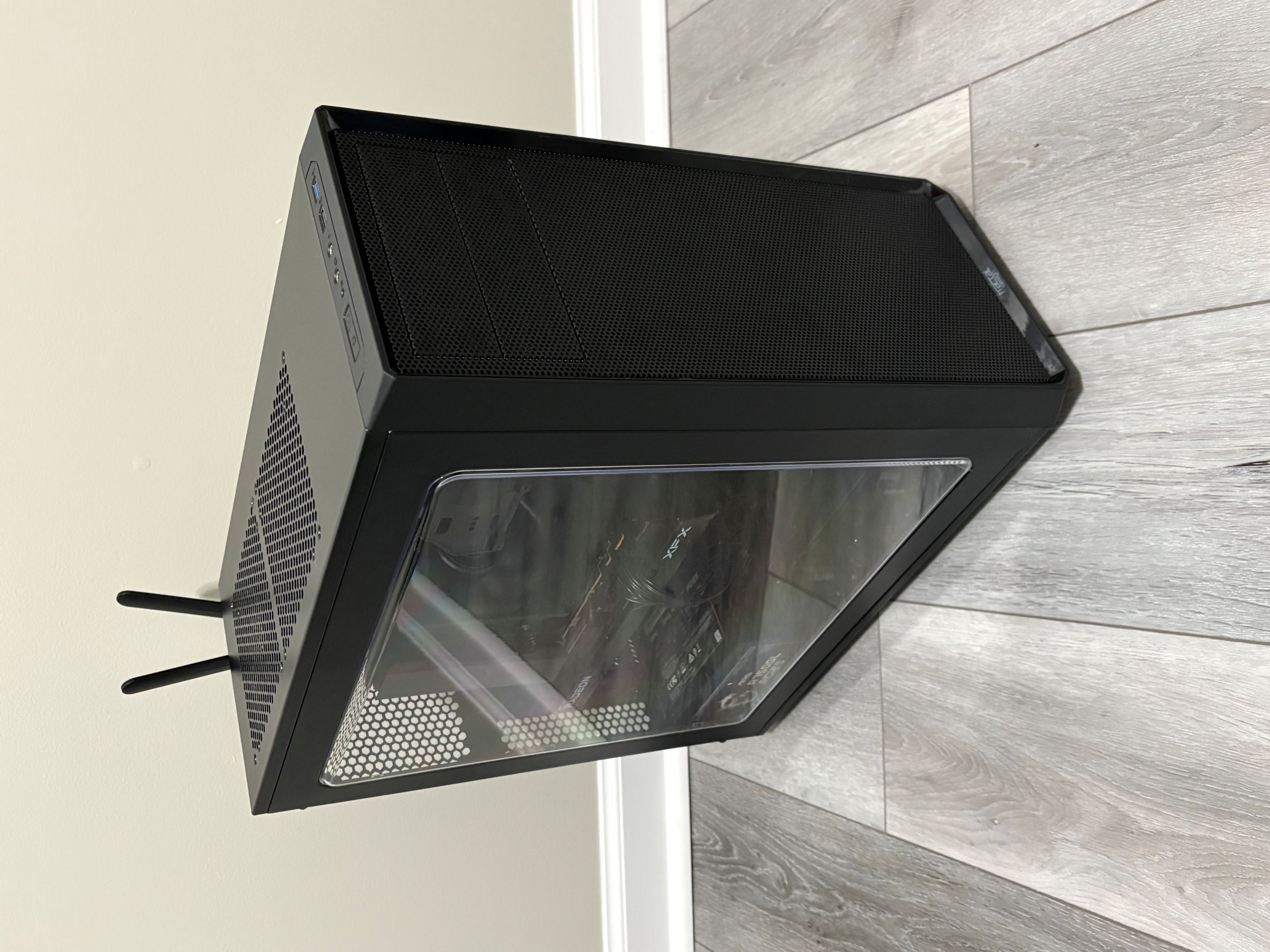
A custom computer is chosen around what you actually do with it, instead of being built to fit a shelf price or a mass-market inventory target.
Custom systems are usually easier to upgrade, easier to service, and easier to keep useful over a longer period of time.
Instead of starting out with a pile of preinstalled extras, a custom build can begin with a cleaner, more focused setup built for the customer.
Each featured system below is treated as its own build card. That makes it easier to keep adding new custom computers over time, and later each one can have its own 360° rotating showcase.
This system was built for a customer who previously had two similar custom computers built and wanted another dependable workstation for office work and AutoCAD. The goal was solid day-to-day performance, clean assembly, and a layout that stays practical to service later.
See Build 01 Photos
Additional custom systems will be featured here as they are completed. Each build will include photos of the finished system, internal layout, cable routing, and a short overview of the type of work the computer was designed to handle.
See Upcoming Build SectionThis second card is intentionally set up as your template for future systems. When the next build is ready, swap in the new images, update the title, use case, specs, and captions, and the page stays consistent.
This first gallery shows the custom office and AutoCAD workstation from the main angles that matter most: overall presentation, internal layout, rear connectivity, and serviceable cable routing.
This angle shows the overall look of the finished system. It is usually the best single view of a custom build because it gives a sense of the case design, proportions, and overall presentation.
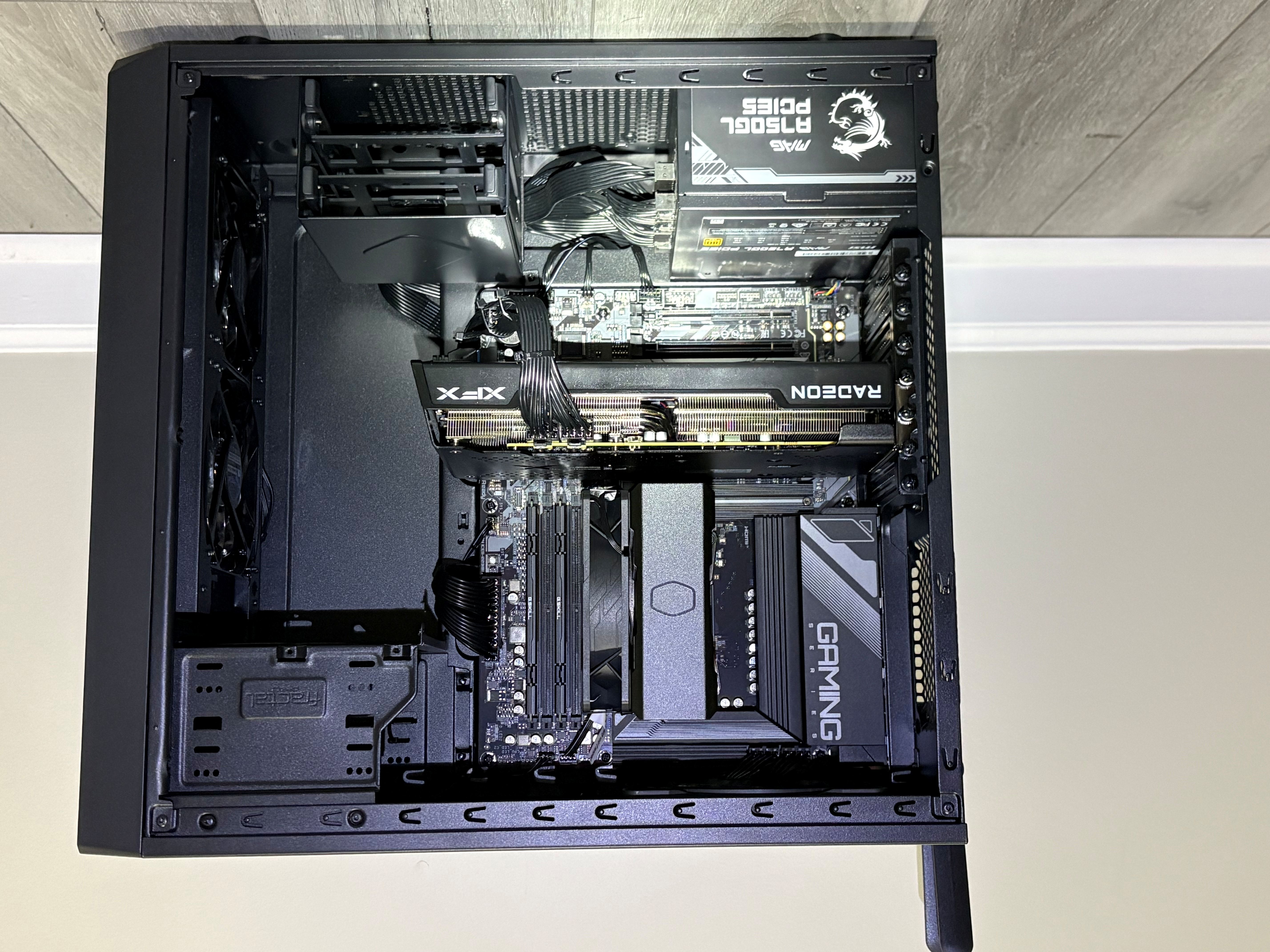
With the glass panel removed, the internal layout of the system is easier to see. This view highlights the motherboard area, cooling layout, and overall component arrangement.
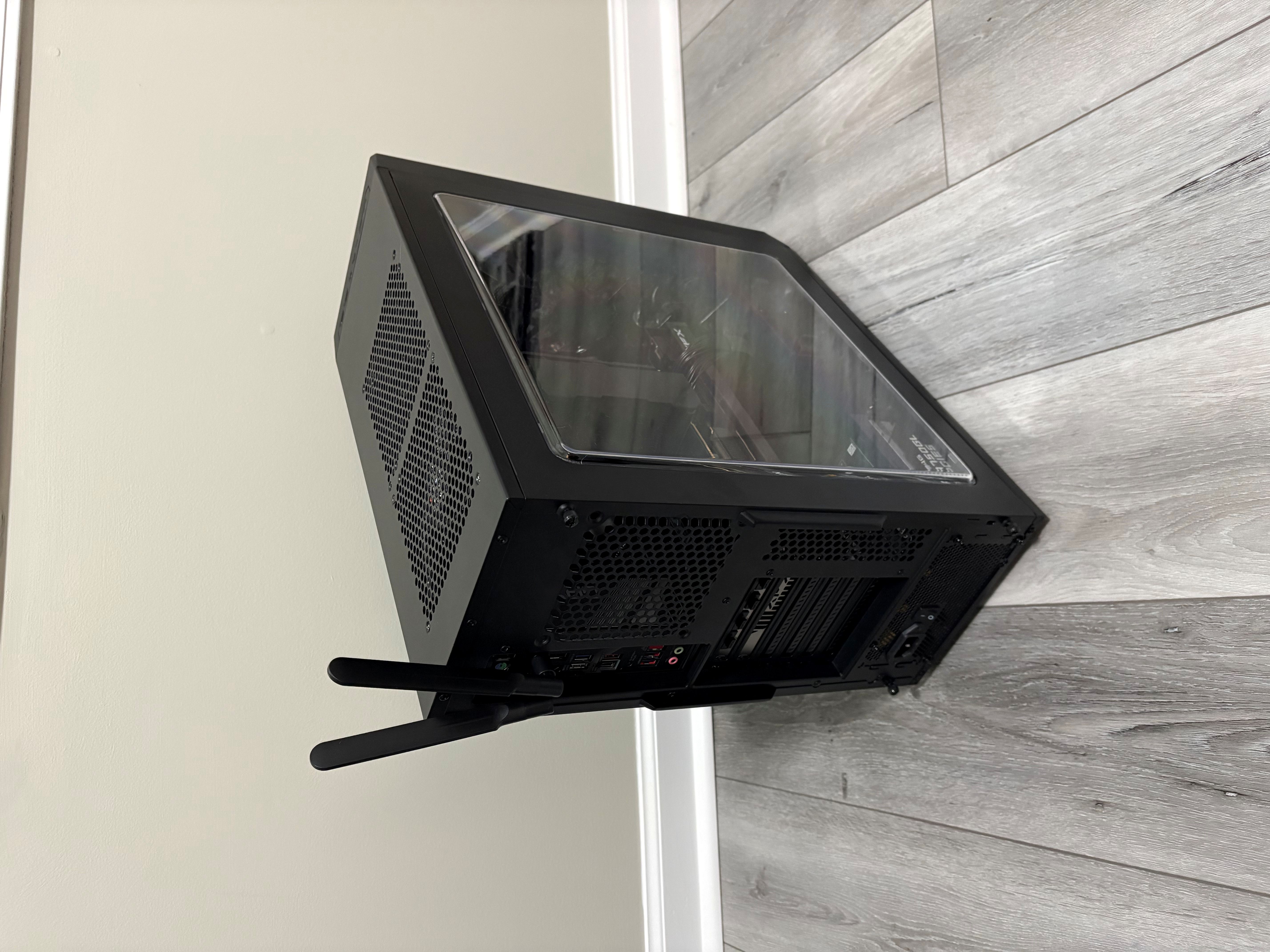
The rear angle shows the overall structure of the case and gives a better sense of how the system is laid out from the back side of the chassis.
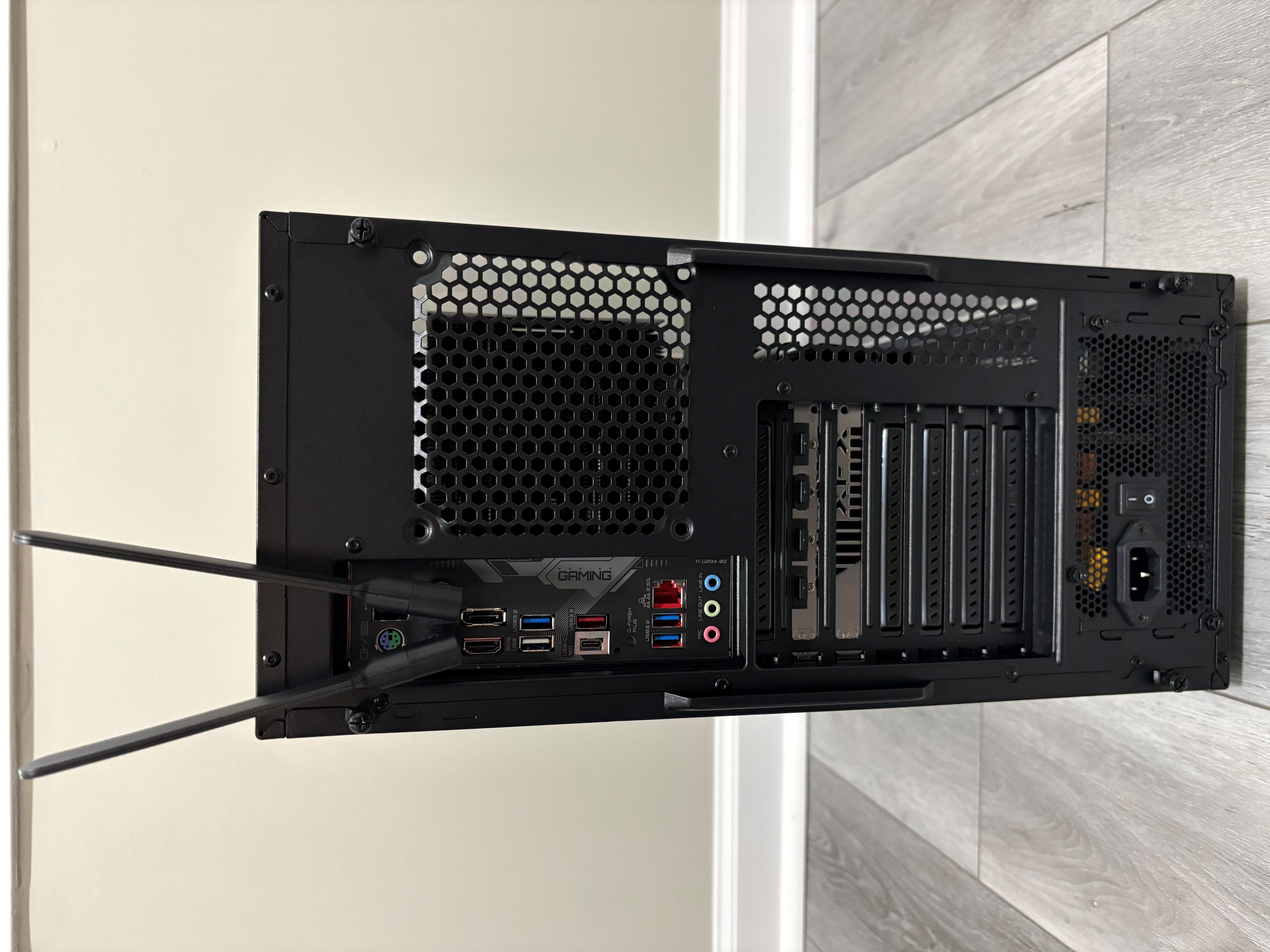
This view shows the rear I/O connections available on the system, including video outputs, USB ports, networking, and other motherboard connections.
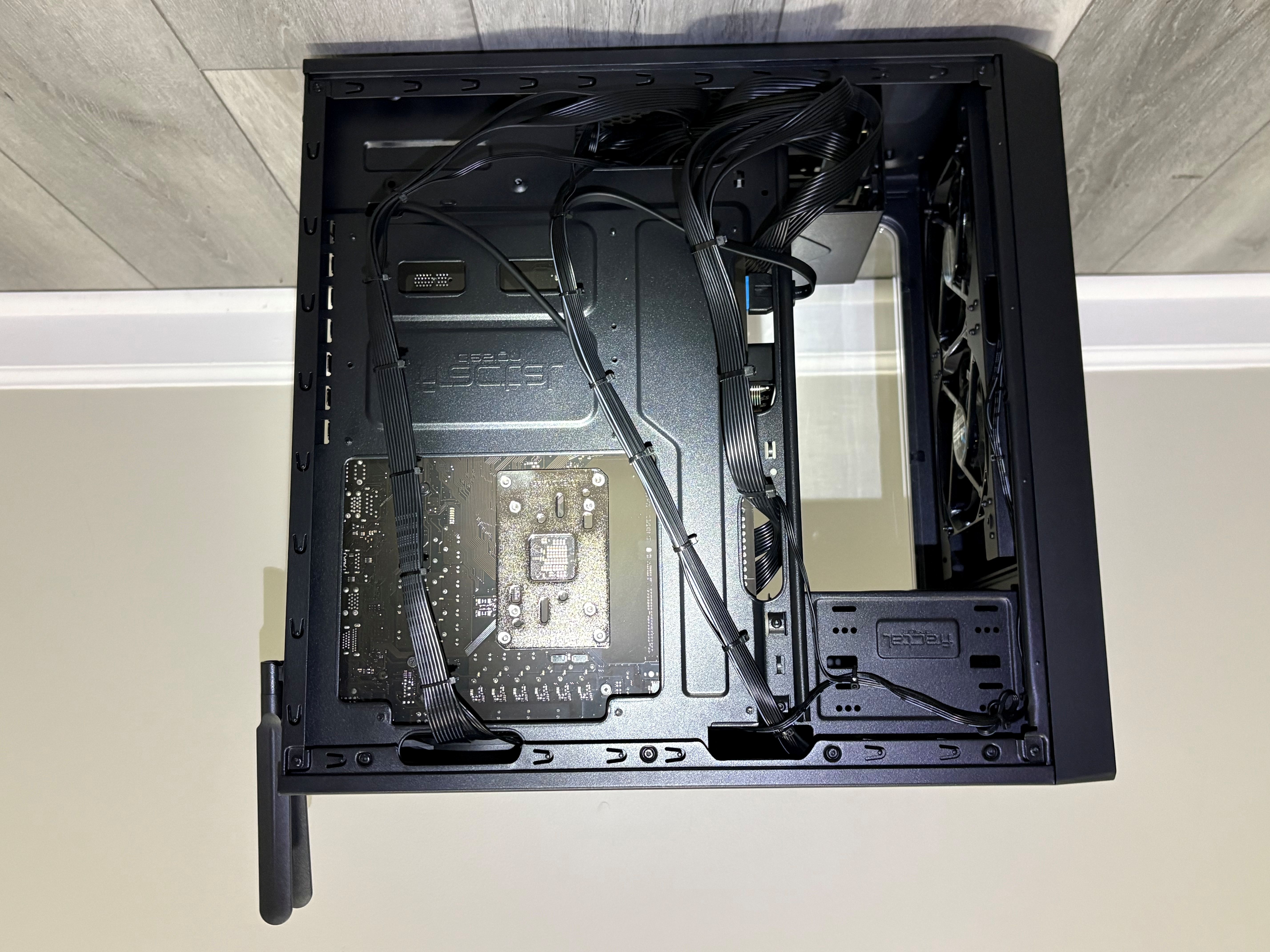
Cable routing here was done with a balance of neatness, airflow, and future serviceability in mind. A build can be dressed up heavily just for presentation, but that can also make later maintenance harder. The goal here was to keep it clean, functional, and easier to work on if service or upgrades are ever needed.
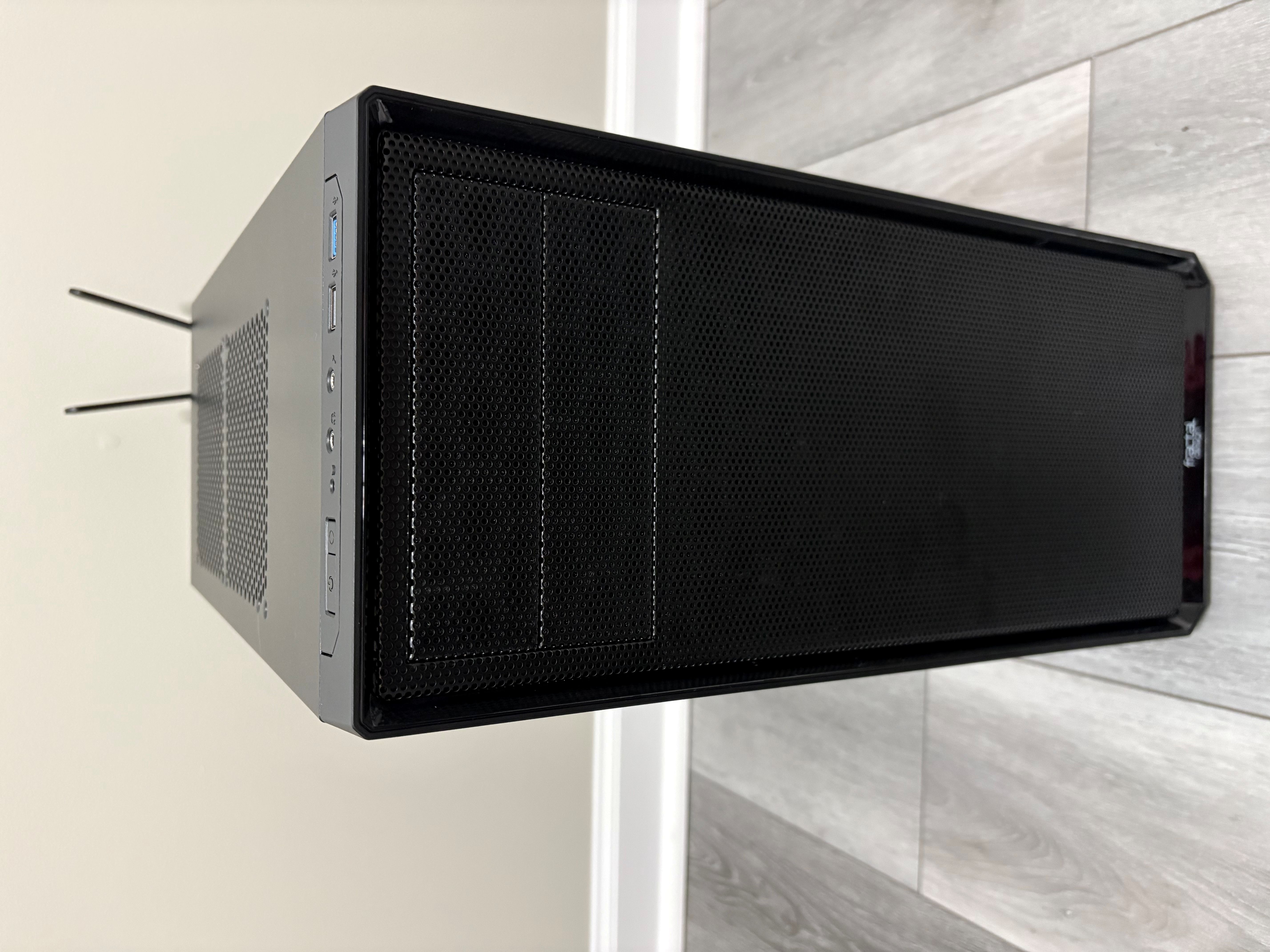
This view shows the front of the case and the front-access ports so customers can see both case styling and everyday usability.
As more custom systems are completed, they will be added here using the same photo layout and naming structure so the page stays consistent and easy to expand.
This slot is reserved for the next build's main overall presentation shot.

Use this position for the best side view showing the internal hardware and layout of the next completed system.

Use this position for the next build's rear 3/4 angle to show the full structure of the case.

Rear I/O images help show the practical connection options available on the completed build.

This position is reserved for the cable management side of the next build.

This position is reserved for the front-access ports and front case view of the next build.
A lot of people know they want something better than a big box computer, but they are not always sure how to explain the difference. This comparison helps show where custom systems usually stand out.
| Feature | Store Bought PC | Custom Built PC |
|---|---|---|
| Parts Selection | Often chosen to hit a production cost target | Chosen around quality, airflow, and intended use |
| Cooling | Basic stock setup | More intentional airflow and cooling layout |
| Upgrade Path | Can be more limited | Usually easier to service and upgrade later |
| Software Setup | May include extra software you do not want | Cleaner setup focused on what the user needs |
| Support Experience | Retail or manufacturer process | More direct local guidance and help |
| Long-Term Value | Convenient up front, but often less flexible | Built around the user instead of a shelf label |
A custom build is not just about buying parts. The planning, assembly, airflow, setup, testing, and presentation all matter.
The first step is deciding what the computer needs to do, how much room there should be for future upgrades, and what parts make the most sense for the budget.
A clean build matters, but so does practicality. The goal is to keep the system neat, cool, and still sensible to work on later if a part ever needs to be replaced or upgraded.
The final result should feel ready to use, not like a pile of expensive parts that just happens to power on.
Once the turntable, greenscreen, and lighting setup are in place, these still photo sets can evolve into rotating build videos that show the system from all around the case.
This section is ready for a future video file such as build-01-360.mp4. When you are ready, you can replace the placeholder with an embedded video for the first build.
Later replace this with your rotating turntable video.
As more systems are completed, each build can eventually have its own rotating 360° showcase instead of relying only on still photos.
Future builds can be added here as new rotating videos are created.
JMG Computers, LLC builds custom computers in Hoschton, Georgia for customers who want something more specific than a typical store bought system. That can include office workstations, AutoCAD systems, general productivity computers, and other custom desktop builds designed around the way the customer actually plans to use the machine.
If you are looking for a custom computer in Hoschton, a custom workstation build, or help comparing a custom PC to a store bought computer, this page is meant to give you a better sense of the kind of systems I put together and the way they are planned.
If you want a better sense of the workspace where repairs, upgrades, diagnostics, and custom systems are handled, take a look at the workspace page.
See My WorkspaceThis workspace is located in Hoschton, Georgia and is where I perform most computer diagnostics, repairs, upgrades, and custom builds for local customers.
If you want a system built around your needs instead of a generic shelf model, feel free to reach out and we can talk through the options.
Request a Custom Build QuoteTell me what you need the computer to do and the budget you want to stay within. I can help decide whether a custom build or store-bought system makes more sense.